

new Batch Enforcement workflow & Dashboard Redesign
One of the first things ORIS asked me to fix in the redesign was making the dashboard more useful. Our Customer Success Managers had a difficult time explaining the table, as there was a lot of information, but not all of it made sense together. The dashboard relayed a lot of data, but didn’t give any actionable tasks for the users.
Process
Adoption 85%
We interviewed 25 of our clients and showed them a lower-fidelity mockup of the Dashboard. Our original design was based on the most used features of the first dashboard, popular reports in the application, and feedback/asks from the users.
Users reacted positively to the statblocks at the top of the page as they liked the flexibility of choosing where they could get started with analysis. After we put the dashboard in Beta, we tweaked the functionality further, including letting users download their graphical data and the tables, and creating a statblock that linked to the new Batch Enforcement process.
Old Dashboard Design
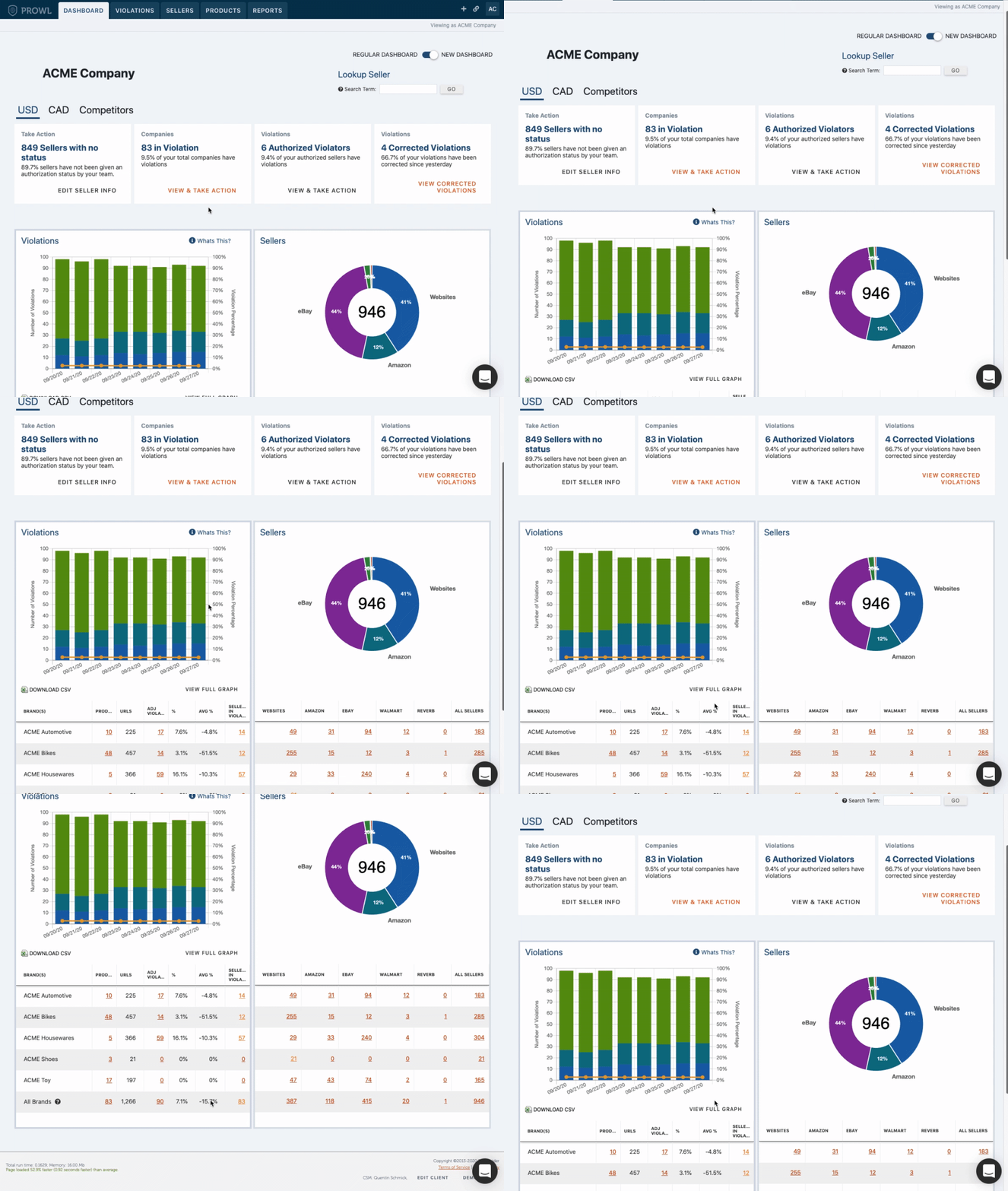
New Dashboard Design
Old Version of Enforcement process, following the most common way our users determined a seller needed an enforcement letter.
Batch Enforcement Process
Utilization 45%
The enforcement process is pretty critical to our product. Once users have their data of who is selling their products below their pricing, they typically use a three-strike system of enforcement.
Step 1 is usually a warning to change the price.
Step 2 is another warning where they detail that they may lose the ability to sell their products.
Step 3 is a final declaration that they can no longer sell their products (usually a 90 Day Hold).
Users typically send an email based on a template but the time to enforce still takes up to a full minute, between confirming violations and any modifications needed.
The big ask from users was adding something more automated but flexible enough to give users control over their enforcement process.
We interviewed 12 clients on their enforcement process and designed an interface that would let them filter by the what step they are in the enforcement process and select as many sellers as they wanted. They still had the ability to spot check violations to confirm they were still in violation. Once they were selected they could choose which template went out and click send.
After Beta testing, we added more flexibility for users to enforce individually within the batch workflow. With this modification, via a modal we folded in the functionality of the older version of enforcement. This was helpful for users who wanted to take a more personal approach with a bigger seller, without having to leave the workflow.