

Internal Tools: Object detector
At Olive there are many internal tools that the company relies on to support the overall product. This project was about creating an efficiency tool that fits into the our scraping team’s workflow. Olive is dedicated to finding ways to automate processes. So this collaboration was working with the automation teams to build a tool they could use.
(Disclaimer: Olive AI works with protected health information all information displayed on this page is dummy data)
My Role: Lead UX Designer
Collaborators: Automation Engineering team, Product Manager
Stakeholders: Director of Automation Engineering and VP of Engineering
Background
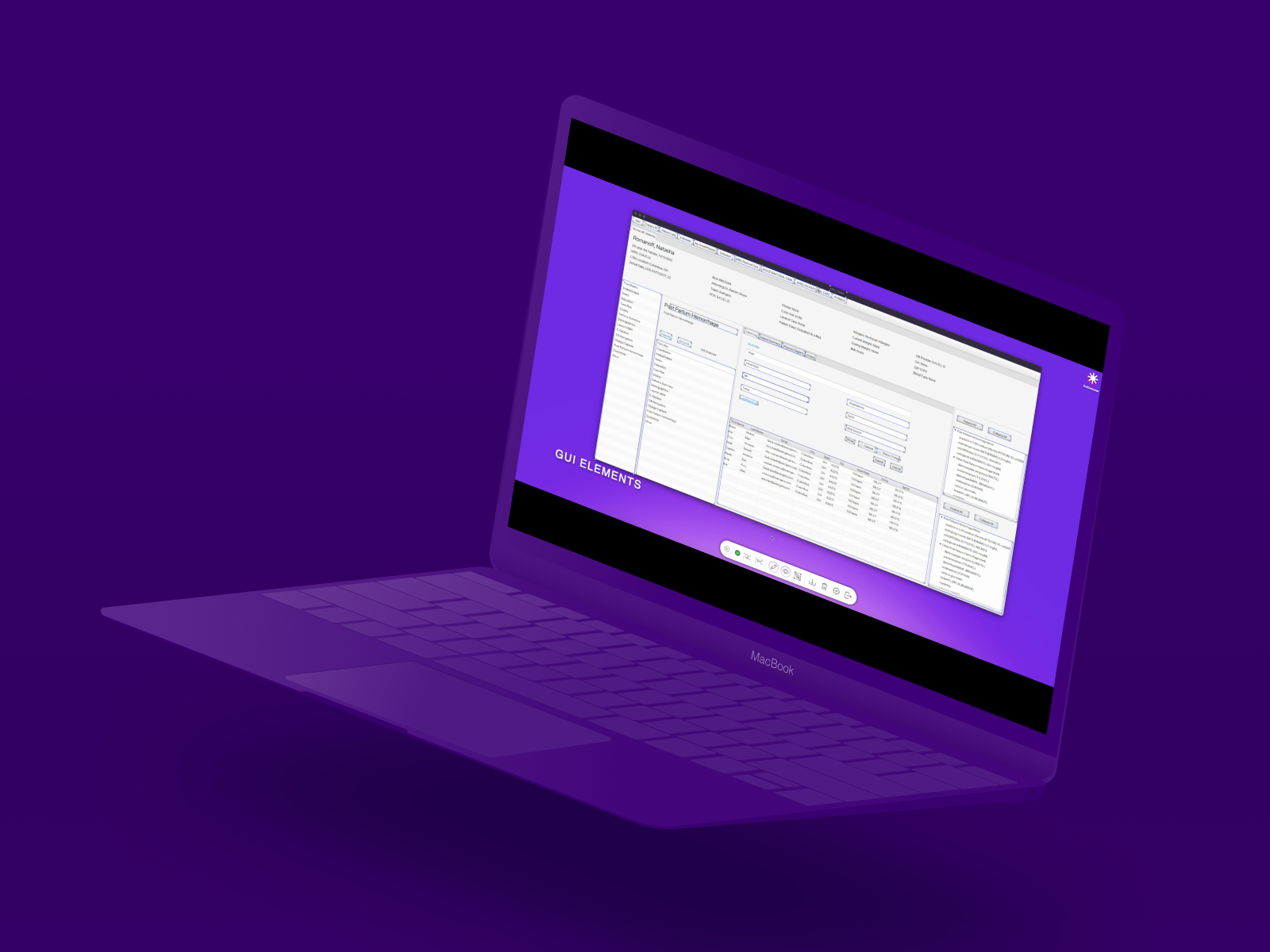
Olive’s automation team builds scripts for the Olive bots to capture important information in Electronic Health Records. These scripts help Olive bots complete their jobs. There was two previous internal tools built to help the automation team build their scripts; one that they use to actually write the scripts and one that helps the capture and build a template based on where information appears on the page. The second tool didn’t scale well.
The Solution:
Build on this Proof of Concept (PoC) and create a tool that would identify keywords and sections of a screenshot and then let the user export the sections as an image. The images are then used in the scripts to build a template. The biggest painpoint was navigation. This is the first proof of concept before UX was involved that shows the process of a user running the tool to identify keywords.
Problem
Automation Engineers were limited in the ability to capture the keyword images
Current process didn’t have room for flexibility (no way to undo a mistake in cropping the image without redoing the whole process) and there was not clear indication of successful capture
There was no unified process. There were 3 different applications engineers used for capture, which made onboarding difficult
Business Impact
Automation Engineers take 2 - 3 months to create these scripts to support Olive’s main product. Optimizing this process would save them a lot of time and make it easier to hire on new engineers.
Process
Collaborating
UX worked with Product and stakeholders to understand the problems they had with adoption of the capture tool that was built internally. We also used to this time to level set expectations for this product, timeline and support beyond completion. UX and Product worked with our main stakeholders to find candiates for the user interviews to understand their process and also conduct a usability test on the proof of concept capture tool.
Interviews
I spoke with 6 engineers to do both a usability test and watch their work methods. All engineers had already completed at least 1 automation project.
Users helped us answer:
What do tools do you use to complete your task?
What painpoints do you have in your current process? How to try to fix or solve those problems?
Where do you go if you have questions?
What is your main ask out of this tool?
Proritization
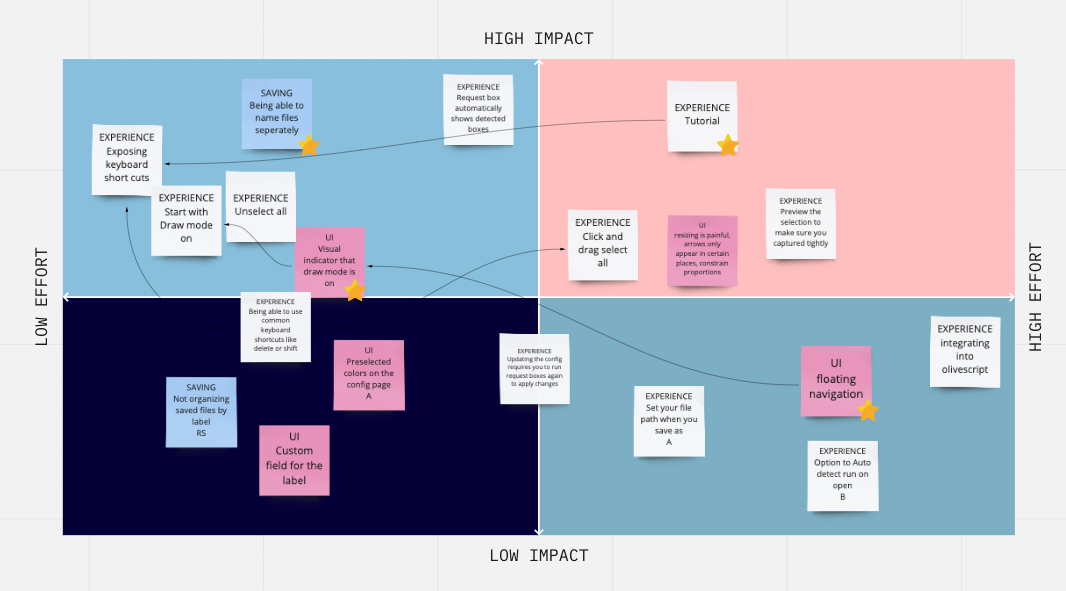
UX, Product and Engineering worked together to do a impact/effort graph to align user needs with Business Goals. We also used this as a sanity check with major stakeholders.
I did a competitive analysis to evaluate feedback from users. I compared 4 tools: GetGreenShot, Mimic (archived internal tool), the current process (custom script for our internal tool Olivescript), and MacOs native screenshotting utility. These were the method used by our users that we interviewed and also the general consensus by a slack channel made for the team.
Results
This internal tool is now part of the script writing teams workflow. Feedback was very positive and we used it to iterate further. The tool is also now included in the onboarding process for the new team members. Engineers were able to use one tool to do all their capturing and name the project files as they needed.
UX Recommendations
Align UI to best practices/common user patterns
The multiselect broke most user’s expectations of functionality based on most of the tools they used. Feedback was pointing to missing a click and drag functionality and way to deselect that didn’t involve re-clicking each box, which if there are many, would be a cumbersome task.
A click and drag feature to select multiselect would be more in line with common UI
patterns. Shift + click should allow the user to add boxes individually. Also left clicking on a blank part of the screen (not including a button) should deselect all selected boxes.
Navigation
Have a visible navigation that can collapse and expand. The navigation will replace the
navigation menu that appears when you right click over nothing. The icons with hover state text will appear for draw mode, show boxes, save selected, delete selected, request boxes, settings, and quit. By default when the user opens the application, draw mode and show boxes should be on. This avoids request boxes appearing to do nothing and also drawing a box and the box “suddenly disappearing”. Draw mode and Show Boxes should have a “off” state.
Save Functionality (Most Common given feedback)
The most common feedback that we got from users was around saving. None of them felt the functionality of saving an asset with a UUID was useful for their workflow. Feedback ranged from them having to go into their directories to rename the files individually to them using the Save As Prefix functionality as a chance to name the files what they really want them to be.
Recommendation: Turn the Save As function into a true ability to name assets. Users will only be able to name assets one at a time and they will be saved to the proper folder under the label in the asset directory. This aligns more with patterns for how Save As works in other programs. If users want to Save All Selected, there should be an option to add a prefix before the UUID.
This feedback was the hardest to deliver because the Universally Unique Identifier and the prefix were the best solution the application the lead engineer had to address saving files. I anticipated pushback, but he was able to see the need and pair with another engineer to find a solution.